
Picture this: a guest at your five-star hotel settles into their king-size bed, grabs the remote, and flips on the TV — only to be greeted by a pixelated, buffering mess that would embarrass a 2003 YouTube video. They don’t call the front desk to complain about the sheets. They leave a one-star review about the TV. Sound familiar?

That nightmare scenario is almost always rooted in one thing: incorrect HDMI encoder bitrate settings hotel IPTV systems are running on. Get those settings wrong and you’re paying for premium hardware while delivering bargain-bin results. Get them right, and every room becomes a cinematic experience that guests rave about. Let’s fix that — right now.
Wanna try out our IPTV service ? Click HERE & get an IPTV FREE Trial Account NOW !
Why Bitrate Is the Heartbeat of Your Hotel IPTV System
Think of bitrate like water pressure in a hotel’s plumbing. Too low, and guests get a trickle when they want a shower. Too high, and you’re flooding the pipes and wasting resources. Bitrate — measured in kilobits per second (kbps) or megabits per second (Mbps) — determines how much data your HDMI encoder pushes through the network per second of video. In a hotel IPTV environment, this matters enormously because you’re not streaming to one person. You’re potentially streaming to dozens or hundreds of rooms simultaneously.
The relationship between bitrate and quality isn’t just linear — it’s contextual. A sports channel broadcasting fast-motion football needs significantly more bitrate than a static news ticker. A 4K movie channel demands far more than an SD documentary. Understanding this nuance is the difference between a hotel IPTV system that works and one that wows.
If you’re looking for the full architectural picture, check out our deep-dive on the ultimate buyer’s guide for choosing an IPTV encoder for large hotels — it pairs beautifully with what we’re covering here.
Understanding Bitrate Types: CBR vs VBR — Which Should You Use?

Before you touch a single slider in your encoder dashboard, you need to understand the two primary bitrate modes: Constant Bitrate (CBR) and Variable Bitrate (VBR). They’re not interchangeable, and choosing wrong can wreck your entire setup.
Wanna try out our IPTV service ? Click HERE & get an IPTV FREE Trial Account NOW !
Constant Bitrate (CBR)
CBR locks your stream at a fixed data rate regardless of what’s happening on screen. A talking-head news anchor gets the same bandwidth as a high-speed car chase. It’s predictable, which makes network planning straightforward — but it’s also inefficient. For hotel IPTV, CBR shines in environments with legacy set-top boxes or less sophisticated network infrastructure that can’t handle fluctuating loads.
Variable Bitrate (VBR)
VBR is the smart kid in the room. It dynamically allocates more data to complex scenes and less to simple ones. Your network breathes. Your quality improves on demanding content without unnecessarily taxing bandwidth during quiet moments. Modern hotel IPTV encoders — especially those supporting H.264 and H.265/HEVC — handle VBR beautifully. If your infrastructure can support it, VBR is almost always the better choice.
| Feature | CBR | VBR |
|---|---|---|
| Bitrate consistency | Fixed | Dynamic |
| Network planning ease | High | Medium |
| Quality efficiency | Lower | Higher |
| Compatibility | Broad | Modern devices |
| Best for | Legacy systems | Modern hotel IPTV |
The Codec Question: H.264 vs H.265 Bitrate Differences
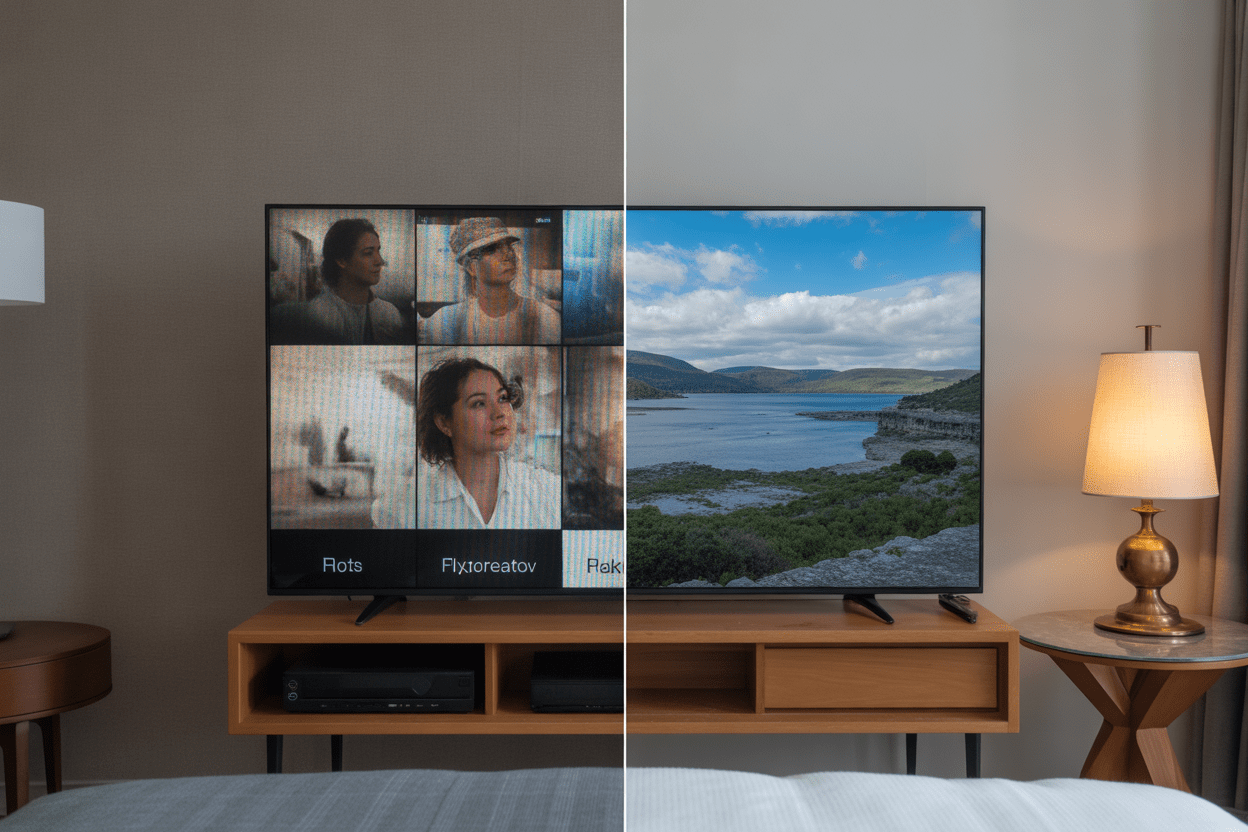
Your codec choice directly impacts what bitrate you need. Here’s the rub — H.265 (HEVC) delivers the same visual quality as H.264 at roughly half the bitrate. That’s not marketing fluff; it’s a compression revolution. For a hotel streaming 50+ channels across hundreds of rooms, that efficiency translates into serious bandwidth savings and a healthier network.
Our review of the Vecaster-4K HEVC HDMI IPTV Encoder goes into detail on exactly how HEVC compression works in real hotel environments — worth a read if you’re considering a hardware upgrade.
Wanna try out our IPTV service ? Click HERE & get an IPTV FREE Trial Account NOW !
Recommended Bitrate Ranges by Codec and Resolution
| Resolution | H.264 Bitrate | H.265 Bitrate | Use Case |
|---|---|---|---|
| 480p SD | 1–2 Mbps | 0.5–1 Mbps | Info channels, lobby |
| 720p HD | 3–5 Mbps | 1.5–2.5 Mbps | Standard guest rooms |
| 1080p Full HD | 6–10 Mbps | 3–5 Mbps | Premium rooms, suites |
| 4K UHD | 20–40 Mbps | 10–20 Mbps | Executive suites, boardrooms |
Multi-Rate Streaming: The Secret Weapon for Large Hotels
Here’s where things get genuinely exciting — and this is the concept that separates amateur hotel IPTV setups from truly professional ones. Multi-rate streaming (sometimes called adaptive bitrate or ABR) means your HDMI encoder outputs multiple versions of the same stream at different quality levels simultaneously. A guest on a wired Ethernet connection in a suite gets the 1080p feed. A device on spotty hotel Wi-Fi drops down automatically to 720p or even 480p without the guest lifting a finger.
This is the core of what our pillar guide on HDMI encoder for hotel IPTV system multi rate architecture covers in full — if you want the complete technical blueprint, that’s your definitive resource. For here, let’s focus on how to actually configure your encoder’s bitrate ladder for multi-rate output.
Building a Bitrate Ladder for Hotel IPTV
A bitrate ladder is exactly what it sounds like: a structured series of encoding profiles from lowest to highest quality. Think of it as building floors in your streaming quality skyscraper. Each floor needs to be distinctly different enough to matter, but not so far apart that the quality jump is jarring.
- Rung 1 (Floor): 480p @ 1 Mbps H.265 — for weak Wi-Fi connections, lobby info screens
- Rung 2: 720p @ 2.5 Mbps H.265 — standard room delivery, most guest devices
- Rung 3: 1080p @ 4.5 Mbps H.265 — premium rooms, wired connections
- Rung 4 (Top): 4K @ 12 Mbps H.265 — executive suites, conference rooms with 4K displays
Wanna try out our IPTV service ? Click HERE & get an IPTV FREE Trial Account NOW !
Network Bandwidth Planning: Don’t Build a Ferrari for a Dirt Road
You can have the most perfectly calibrated HDMI encoder bitrate settings hotel IPTV has ever seen, but if your network infrastructure is a bottleneck, you’re done before you started. Here’s a simple formula to help you plan:
Total bandwidth required = (Number of simultaneous streams) × (Average bitrate per stream)
For a 200-room hotel where 70% of rooms might be streaming simultaneously at 1080p H.265 (4.5 Mbps each): 140 rooms × 4.5 Mbps = 630 Mbps dedicated to IPTV delivery. That’s before accounting for guests’ personal internet usage. Always add a 30–40% headroom buffer. Your network team will thank you.
VLAN Segmentation: Keep IPTV Traffic in Its Lane

One of the most overlooked HDMI encoder bitrate settings hotel IPTV professionals forget to pair with proper network architecture is VLAN segmentation. Isolating your IPTV traffic on a dedicated VLAN means a guest torrenting on their laptop doesn’t cannibalize the bandwidth your encoder has carefully allocated for room 412’s football match. Spoiler: this single change has saved more hotel IPTV systems than any encoder setting ever will.
Wanna try out our IPTV service ? Click HERE & get an IPTV FREE Trial Account NOW !
Frame Rate Settings and Their Impact on Bitrate
Bitrate doesn’t exist in isolation — it dances with frame rate. A stream running at 60fps needs roughly 40–50% more bitrate than the same stream at 30fps to maintain equivalent quality. For hotel IPTV, the sweet spot for most content is 25fps (PAL standard, common in Europe and most of the world) or 30fps (NTSC, Americas). Sports channels are the exception — 50fps or 60fps dramatically improves motion smoothness for live matches, which your guests absolutely notice.
Key Frame Interval (GOP Size)
Another setting that punches above its weight is the GOP (Group of Pictures) size or key frame interval. For hotel IPTV streaming, a GOP of 2 seconds is a solid baseline. Too large a GOP and channel-change latency becomes annoying — guests flicking through channels experience a half-second delay before the picture settles. Too small and your compression efficiency tanks, forcing higher bitrates to maintain quality.
Practical Step-by-Step: Dialing In Your Encoder Settings
Let’s get hands-on. Whether you’re configuring a dedicated hardware encoder or a software-based solution, these steps apply universally to optimizing HDMI encoder bitrate settings hotel IPTV systems depend on.
- Step 1: Audit your network capacity and calculate maximum available IPTV bandwidth
- Step 2: Categorize your channels (news, sports, movies, 4K) — each category needs different bitrate profiles
- Step 3: Choose your codec — H.265 if all your set-top boxes support it, H.264 for broader compatibility
- Step 4: Set CBR for stable networks with legacy equipment; VBR for modern infrastructure
- Step 5: Configure your bitrate ladder for multi-rate delivery if your headend supports it
- Step 6: Set GOP to 2 seconds; frame rate to match source content (25/30fps standard, 50/60fps sports)
- Step 7: Run a 24-hour load test and monitor with network management tools — look for dropped packets and latency spikes
- Step 8: Adjust bitrate up or down in 10–15% increments until quality and network load are balanced
Wanna try out our IPTV service ? Click HERE & get an IPTV FREE Trial Account NOW !
Common Bitrate Mistakes Hotel IPTV Engineers Make

Let’s be honest — even experienced engineers mess this up. Here are the most frequent blunders and how to avoid them.
- Setting every channel to maximum bitrate: Overkill on a static info channel wastes bandwidth you need for the 4K sports feed.
- Ignoring audio bitrate: Your video might look stunning at 5 Mbps while the audio is throttled to 64kbps AAC. Guests notice bad audio faster than bad video. Target 192–320kbps for stereo, 384kbps+ for Dolby Digital.
- Forgetting overhead for multicast headers: Multicast IP delivery adds protocol overhead. Budget an extra 5–8% per stream.
- Never revisiting settings after initial setup: Your hotel added 50 rooms? You upgraded to 4K displays? Your encoder settings need a corresponding review.
Why IPTV Trends Is Your Best Partner for Hotel Streaming
All this encoder knowledge means nothing if your content delivery infrastructure isn’t equally solid. At IPTVTrends, we’ve built our platform specifically to complement professionally configured hotel IPTV systems. Our service delivers content via optimized streams that pair perfectly with the bitrate ladders you’ll configure using this guide. We also have expertise in reliable IPTV service that eliminates buffering — something hotel operators genuinely care about.
Whether you’re managing a boutique inn or a 500-room conference resort, our team understands the technical demands of multi-zone hotel delivery. And if you’re curious how IPTV stacks up against traditional cable for hotels — our IPTV vs Cable TV 2026 showdown makes the business case crystal clear.
Ready to Transform Your Hotel’s Streaming Experience?
You’ve got the knowledge. You’ve got the bitrate tables. You’ve got the step-by-step framework. Now the only question is: are you going to let your guests keep suffering through pixelated streams while your competitors deliver cinema-quality IPTV? Wanna try out our IPTV service for your hotel setup? Grab a free trial at IPTV Trends and experience exactly what properly configured HDMI encoder bitrate settings hotel IPTV systems are supposed to deliver. Your guests — and your review scores — will notice the difference immediately.
Wanna try out our IPTV service ? Click HERE & get an IPTV FREE Trial Account NOW !
Conclusion
Mastering HDMI encoder bitrate settings hotel IPTV systems rely on isn’t rocket science — but it does require intention, planning, and the willingness to test and iterate. From understanding CBR vs VBR, to building a proper multi-rate bitrate ladder, to calculating real network bandwidth requirements, every decision you make at the encoder level echoes through every room in your property. Get it right, and your hotel’s IPTV system becomes an invisible luxury that guests appreciate without knowing why. Get it wrong, and it becomes the most visible failure in the building. The choice — and the tools to make the right one — are right here.
Frequently Asked Questions
1. What is the ideal bitrate for 1080p hotel IPTV using H.265?
For 1080p Full HD content using H.265/HEVC encoding, a bitrate of 3–5 Mbps strikes the ideal balance between quality and bandwidth efficiency. Sports content should sit at the upper end (4.5–5 Mbps) due to fast motion, while static news or info channels can run comfortably at 3–3.5 Mbps without noticeable quality loss.
2. Should I use CBR or VBR for my hotel IPTV encoder?
VBR is generally the better choice for modern hotel IPTV setups because it allocates bitrate intelligently based on content complexity, saving bandwidth during simple scenes and delivering higher quality during demanding ones. Use CBR only if your network infrastructure is older or your set-top boxes have limited buffering capabilities that struggle with bitrate fluctuations.
3. How does multi-rate streaming benefit large hotels?
Multi-rate streaming allows your HDMI encoder to output multiple quality versions of each channel simultaneously. Devices with strong wired connections receive the highest quality stream while devices on weaker Wi-Fi connections automatically receive a lower-bitrate version. This ensures every guest gets the best possible quality their connection supports — no manual intervention required.
4. What frame rate should I configure for hotel IPTV sports channels?
Sports channels benefit significantly from higher frame rates. Configure 50fps for PAL-region content or 60fps for NTSC regions. This dramatically smooths out fast motion in football, basketball, and tennis matches. Non-sports channels can run at the standard 25fps or 30fps to conserve bandwidth without any perceptible quality difference for typical viewing content.
5. How much network bandwidth should I reserve for hotel IPTV?
Calculate your peak simultaneous viewing load — typically 60–80% of rooms during prime evening hours — multiply by your average stream bitrate, then add 30–40% overhead for headroom. For a 200-room hotel with 1080p H.265 delivery (4.5 Mbps per stream), expect to reserve approximately 800 Mbps–1 Gbps dedicated to IPTV traffic, isolated via VLAN from general guest internet usage.
6. What GOP size should I use for my hotel IPTV encoder?
A GOP (Group of Pictures) interval of 2 seconds is the standard recommendation for hotel IPTV. This balances compression efficiency with acceptable channel-change latency. If guests are experiencing slow picture initialization when changing channels, reduce the GOP to 1 second. If bandwidth is critically tight, extending to 3 seconds can help — but channel-change delay becomes more noticeable.
7. Does audio bitrate really matter in hotel IPTV setups?
Absolutely — and it’s surprisingly often overlooked. Many engineers focus entirely on video bitrate while throttling audio to 64kbps AAC, which produces noticeably poor sound quality. Target 192–256kbps for standard stereo AAC across most channels. For premium suites with surround sound systems, configure 384kbps+ Dolby Digital AC3. Guests perceive audio quality problems faster and more viscerally than video quality issues.
8. Can I run 4K IPTV in my hotel without upgrading the entire network?
Possibly — but only with H.265 encoding and a carefully segmented network. H.265 4K streams can run at 10–12 Mbps versus the 20–40 Mbps H.264 requires for equivalent quality. Limit 4K delivery to rooms with wired Gigabit Ethernet connections and modern 4K-capable set-top boxes. Attempting to push 4K over standard hotel Wi-Fi infrastructure without significant upgrades will result in consistent buffering and guest complaints.
9. How often should I review and adjust my encoder bitrate settings?
Review your HDMI encoder bitrate settings hotel IPTV system configurations at minimum quarterly, and immediately following any significant changes — new room additions, network upgrades, codec updates, or additions of new channels (especially sports or 4K content). Network usage patterns also shift seasonally; a full hotel during a conference event has very different streaming demands than a half-occupied property on a slow Tuesday.
10. What external resources can help me further optimize hotel IPTV encoder settings?
The Streaming Media Global resource hub offers excellent technical white papers on adaptive bitrate encoding and enterprise IPTV delivery architectures. For hardware-specific configuration, always consult your encoder manufacturer’s documentation alongside guides like this one. Combining manufacturer specs with real-world deployment knowledge gives you the most complete picture for your specific hotel environment.
Wanna try out our IPTV service ? Click HERE & get an IPTV FREE Trial Account NOW !